Plan your day,
not your tooling.
A native macOS Kanban planner with three time-based lanes. Markdown notes, keyboard shortcuts, zero cloud dependencies. Your tasks stay on your machine.
Includes applicable VAT. One-time payment.
Buy Pro here for the direct-download edition, with a license key for up to 3 Macs. Open source on GitHub.
Click a task and its checklist and Markdown notes open beside the board.
- Native macOS app
- Three-lane planning
- Markdown notes
- Global search
- Local-first storage
- Checklists & subtasks
- Backup & export
- Fast & private
- Open source
Your work stays on your machine.
Native to macOS
Built for the Mac. No Electron wrapper, no browser tab. Feels like the rest of your desktop.
Local-first, always
Tasks, subtasks, and notes live in a local SQLite store on your machine. No account required.
Calm by design
No notifications, no team feeds, no activity graphs. Just a quiet space to decide what matters today.
Three lanes. Zero noise.
Organize work across three time horizons. Drag tasks forward as priorities shift. No sprints, no points, no ceremony.
Today
What you're doing right now. A short, focused list that resets your attention each morning.
This Week
Committed work for the week. Drag tasks into Today when you're ready to act on them.
Backlog
Everything else. Ideas, someday-tasks, and things that haven't earned a deadline yet.
Your notes are real files.
Every note you write is automatically mirrored as a .md file on disk. Open them in any editor. Grep them from the terminal. They're yours.
- Standard Markdown with full formatting support
- Automatic file mirroring: notes sync to disk in real time
- Obsidian-compatible: edit or create tasks from the Markdown files
- No proprietary format, no lock-in, no conversion needed
Plan time, not just tasks.
One purchase removes the free limits and adds the calendar side of planning. Here is what it looks like in the app.
Drag a task from the list into the week and it becomes a time block on your calendar. Stretch it to give the work the time it needs.
Plan the day, then the week.
Scroll sideways. Screens marked Pro come with the one-time unlock.
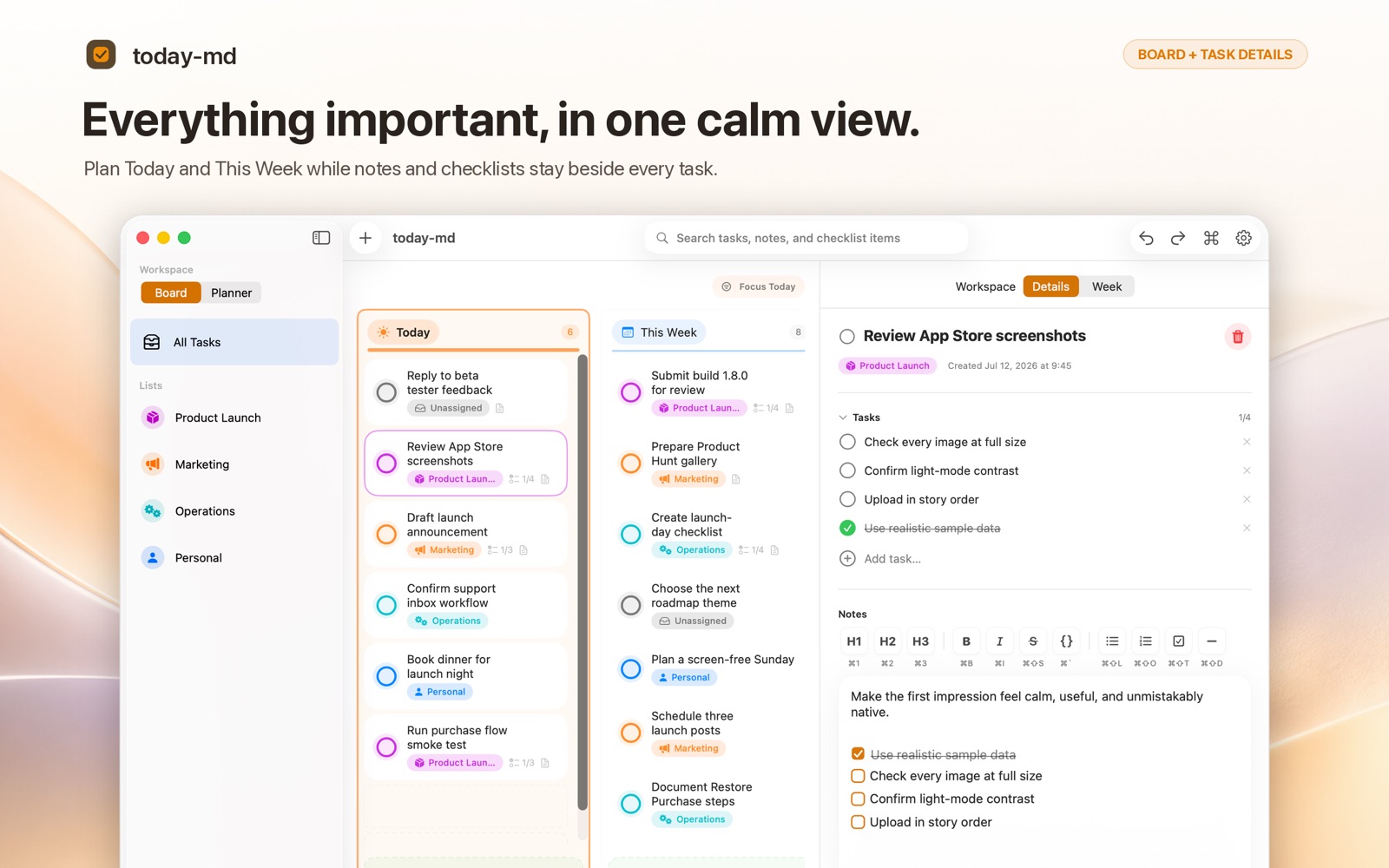
Everything important, in one calm view 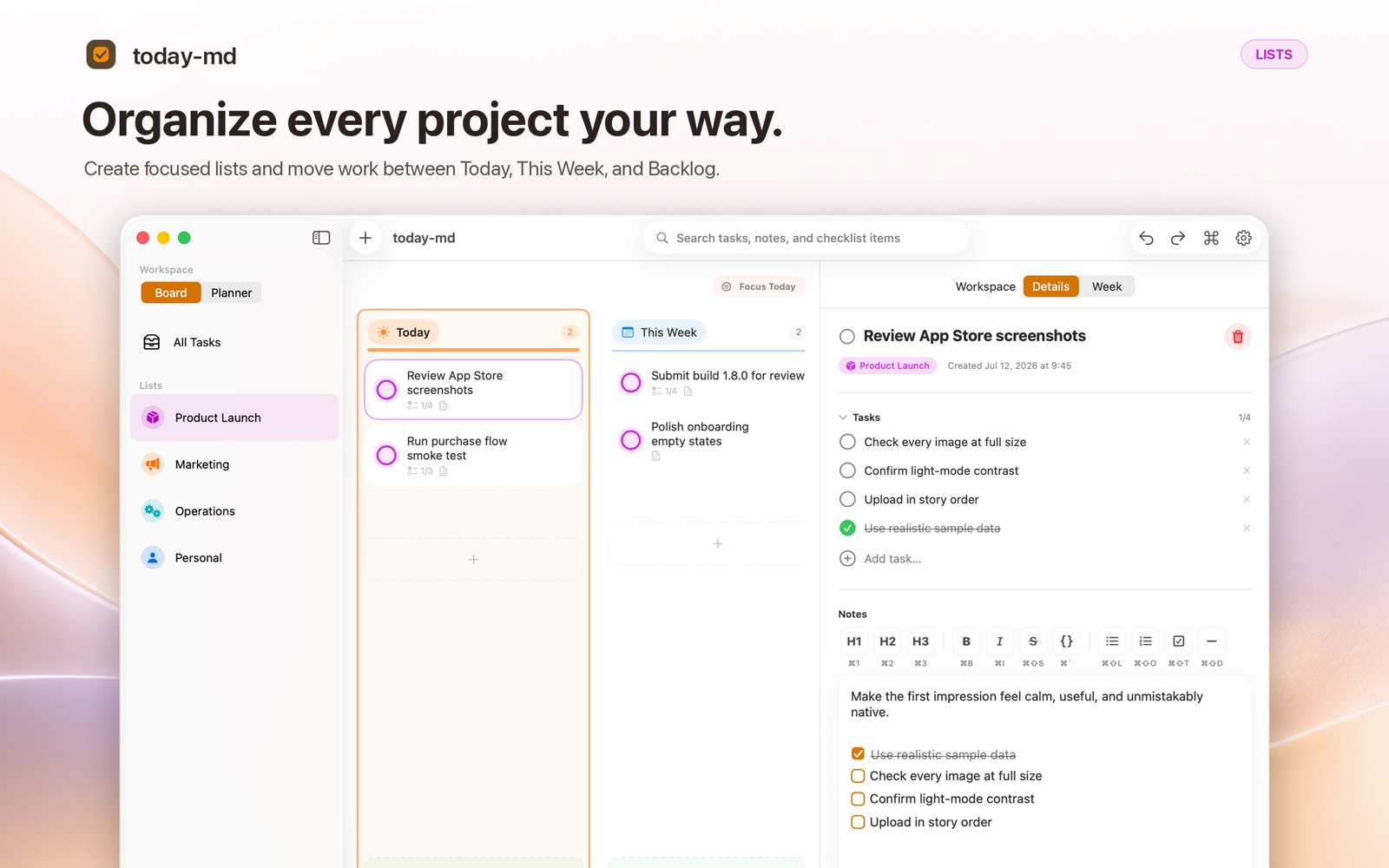
Lists for every project 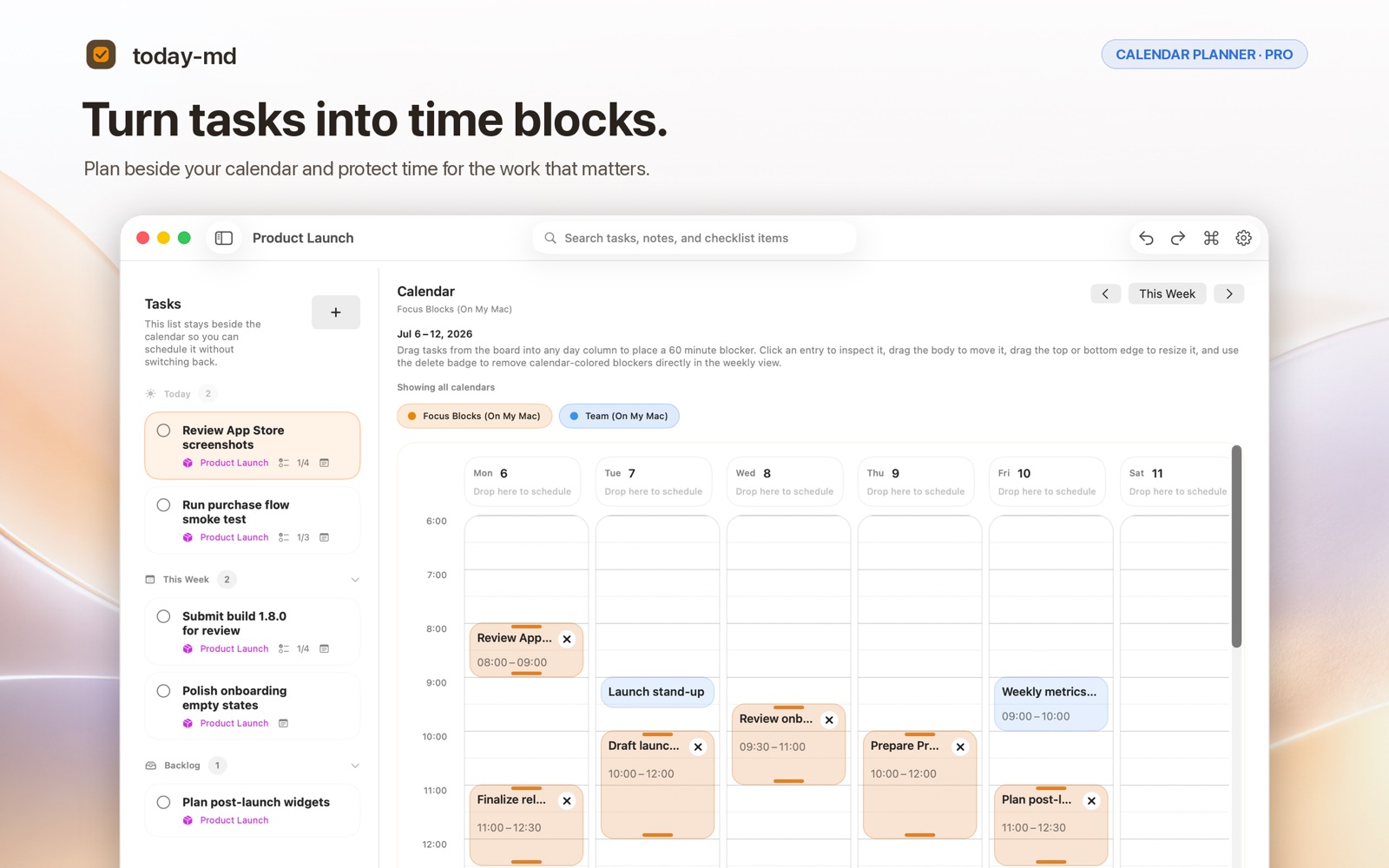
Turn tasks into time blocksPro 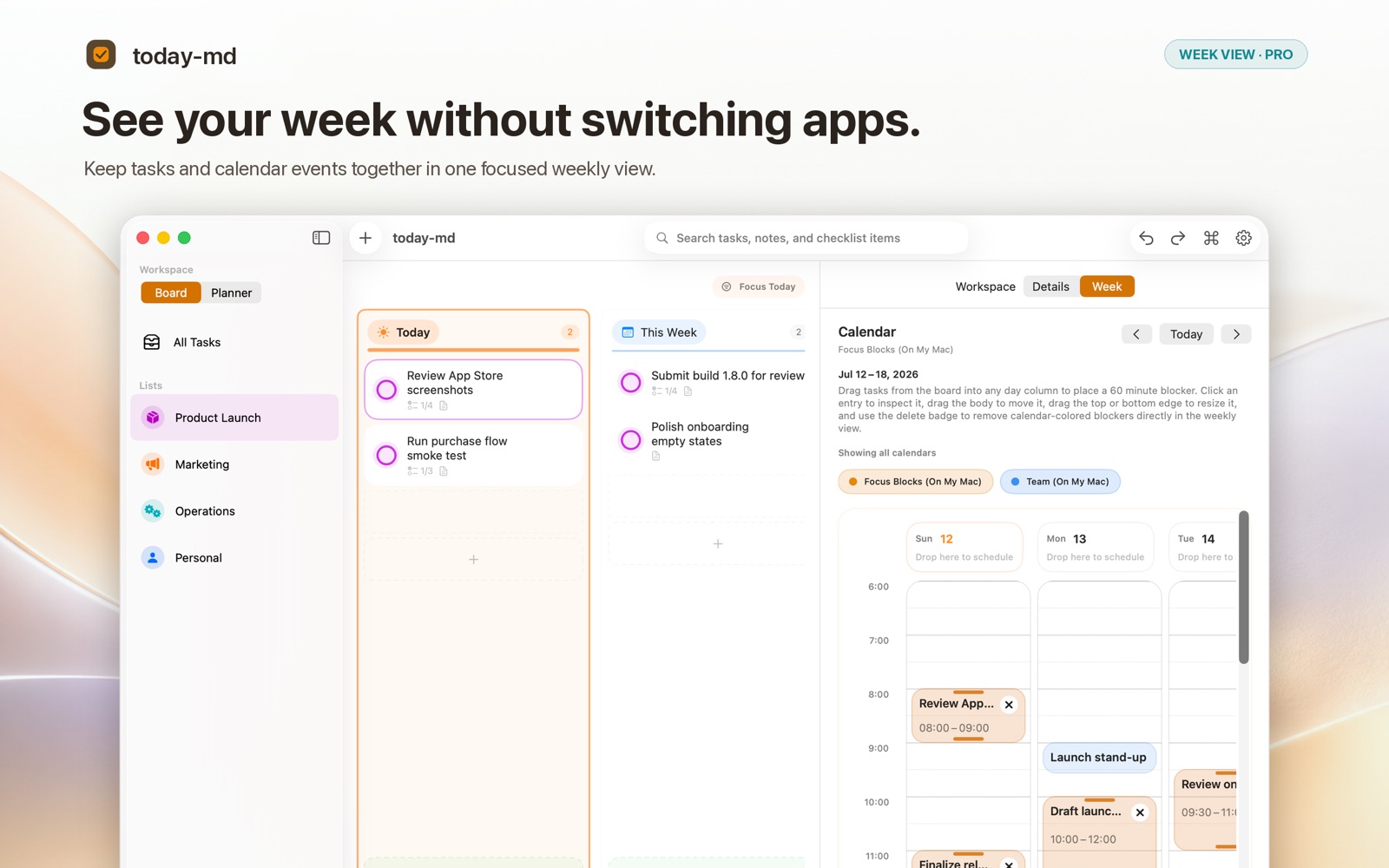
See the whole weekPro 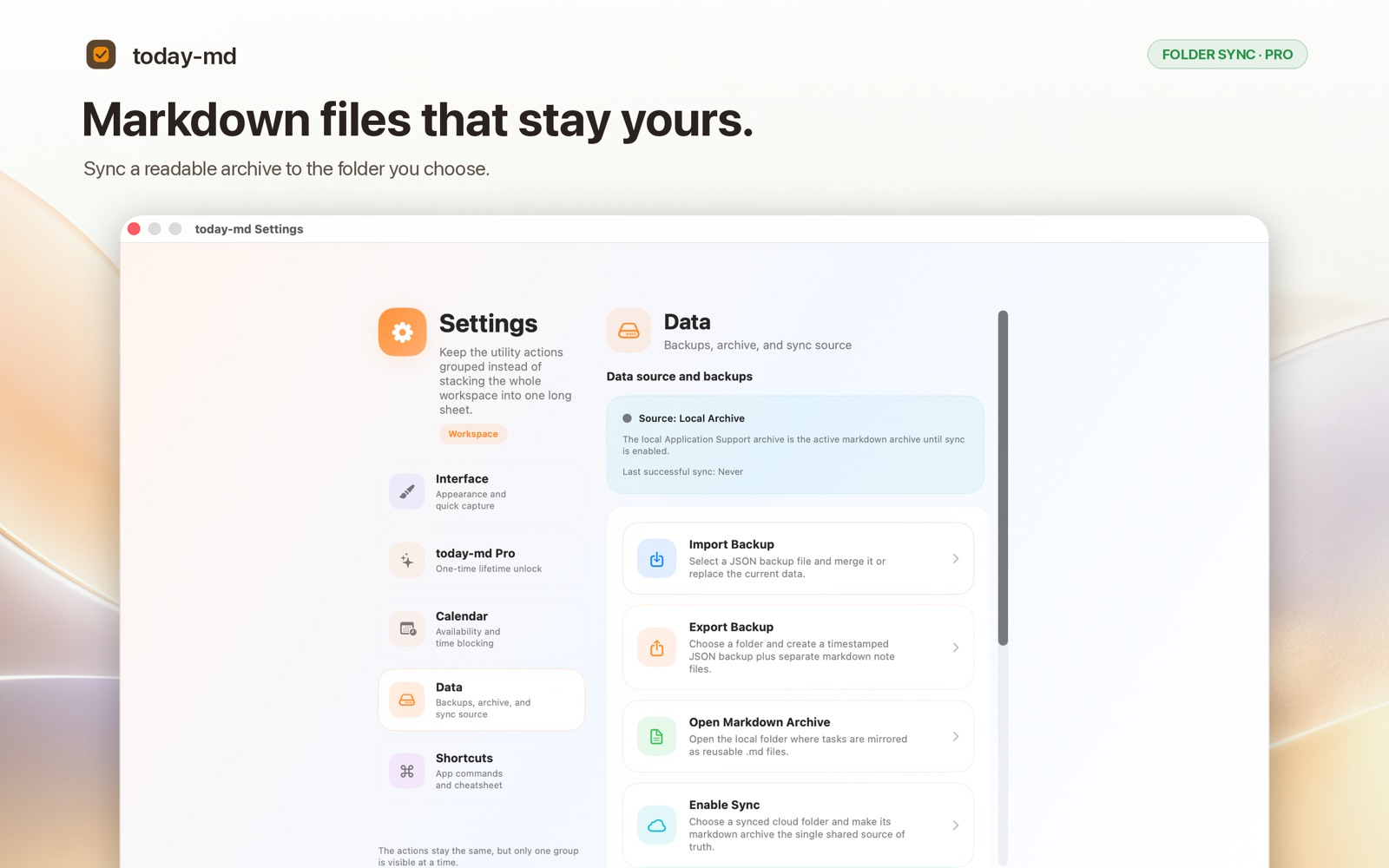
Sync through your own folderPro
Search, backup, sync on your terms.
Global search
Find anything across task titles, notes, and subtasks. Instant, local, and always available, even offline.
Backups & exports
Export your entire workspace as JSON. Export notes as Markdown files. Restore from backup at any time.
Optional folder sync
Point today-md at an iCloud Drive, OneDrive, or Dropbox folder to sync across Macs. Conflict-aware and user-controlled.
Free to start. Pro, paid once.
No subscription. Buy Pro here or in the Mac App Store; either way it is a one-time purchase that never expires.
Free
$0- Task board with Today, This Week and Backlog
- One list, up to five tasks
- Markdown notes
- Global search
- Backup export
Pro
$19.99 onceIncludes applicable VAT. One-time payment.
Everything in Free, plus:
- Unlimited lists and tasks
- Calendar Planner (time blocks)
- Week View
- Folder sync across Macs
- External Markdown reconciliation
Bought here
Download the direct edition and find your license key on My tools. We also send the key by email. Paste it into that edition of today-md (Settings, today-md Pro, "I already have a license key") to unlock Pro on up to 3 Macs, with 12 months of direct-download updates.
Bought in the Mac App Store
Install today-md for free from the Mac App Store and unlock Pro inside the app. Apple handles the purchase, and it follows your Apple Account.
Building from source? today-md is open source under the MIT license, and source and GitHub builds include every feature.
Your tasks, your notes, your machine.
A calm, local-first planner built for people who think in Markdown.